Palm Reader: Tarot Zodiac brings palmistry, tarot, and zodiac tools to Android
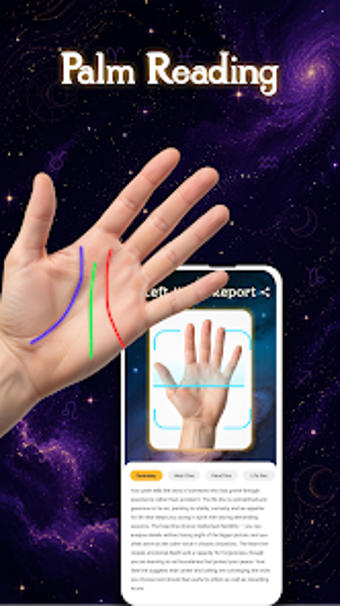
Palm Reader: Tarot Zodiac, from NovoSyx GLobal Limited, packages palmistry, tarot, and zodiac tools for daily mystical exploration. It uses camera-based palm scanning, digital tarot draws, and daily horoscope updates to generate symbolic readings, compatibility checks, and lucky-number prompts for personal reflection. Highlights include interactive palm interpretation, multiple tarot spreads, and a celestial-themed interface designed to create a relaxing experience. The app targets astrology enthusiasts and casual users seeking reflective, entertainment-focused mystical content on Android.
How Palm Reader fits into a daily reflection routine
The app is presented as an all-in-one divination suite that can serve as a short ritual at the start or end of the day. Interactive palm reading interprets the heart, head, and life lines via camera input while tarot draws offer symbolic prompts for self-reflection. Typical use-cases include quick morning horoscopes, a nightly tarot card for focus, or checking zodiac compatibility before social plans.
What the app requires and how it integrates with your device
Palm Reader runs on Android and uses the device camera for palm scans, so basic hardware access is necessary. The app's design follows a celestial theme intended to feel calming during use, and the developer notes camera-based scanning technology that simulates traditional hand-reading techniques. Users should confirm device compatibility and permissions on the Google Play Store listing before installing.
Who benefits, privacy notes, and the reliability of daily prompts
The app is aimed at astrology enthusiasts and casual seekers of spiritual entertainment, and it provides daily horoscope content plus tarot draws as regular prompts. Reception notes describe it as visually appealing and entertaining. Regarding privacy, the software requests camera access to perform palm reads; materials do not enumerate local-processing claims or explicit opt-out controls, so users should review permission settings before use.
To sum up, a handy companion for light, ritualized reflection
To sum up, Palm Reader: Tarot Zodiac is a practical option for casual astrology seekers who want daily reflective prompts and playful readings. The app carries an explicit entertainment-only disclaimer, so it is not appropriate for anyone seeking professional advice. It suits people looking for a visually engaging, low-effort way to add symbolic ritual to routine moments.